Troubleshooting
v4.0.0
The screens that stop the rescue switcher and what to do about each, and the known issues.
Table of contents
Screens that stop it
“The SidecarTridge does not answer commands”
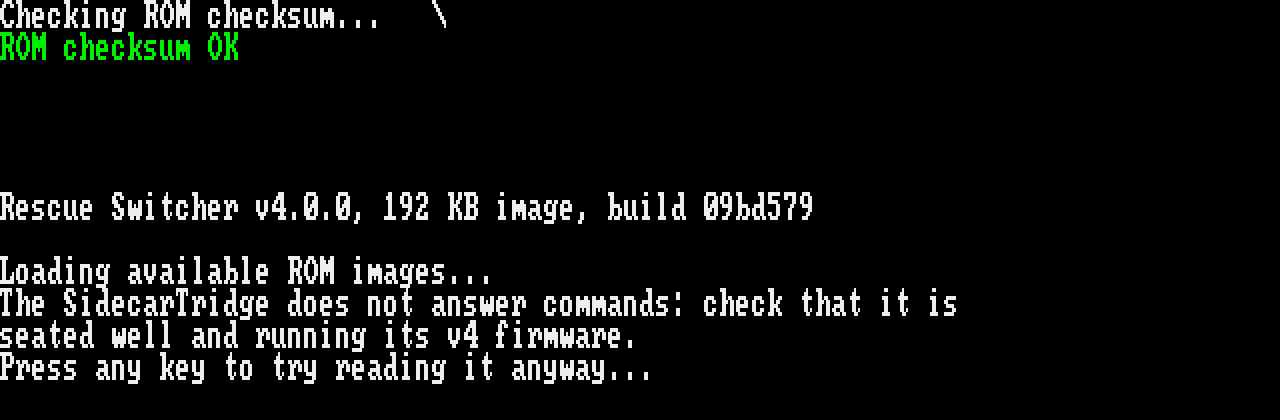
The board does not take the rescue switcher’s commands. Check that it is well seated and runs firmware v4.0.0. Any key tries to read the list anyway; if that fails too, it shows “Error reading the flash page at address …” and “Press any key to try again…”.
“not compatible”
- “This version of SWITCHER tool is not compatible with the firmware of the device.” is the rescue switcher 3.1.0 on a board with firmware v4.0.0: install the rescue switcher 4.0.0.
- “This rescue switcher is not compatible with the device’s firmware.” is the rescue switcher 4.0.0 on an older firmware: update the board to firmware v4.0.0. On an older firmware it may stop at “does not answer” first.
“No ROMs found”
The screen says “No ROMs found. Do you have a Sidecartrige device configured?”. The board’s list of images is empty. In practice this does not happen, since the rescue switcher is itself in the list.
After “Press any key to try again…”
The error screens end with “Press any key to try again…”: “not compatible”, “No ROMs found”, “Error reading the flash page at address …” and the two out-of-memory screens. A key starts the rescue switcher again from its ROM checksum screen: it checks its own image, pings the board and reads the list again. If the same screen comes back, fix the cause it names, then press a key again. To leave rescue mode, choose an image, or switch the computer off.
When the board itself may be at fault
Run the self-test: it checks every connection between the computer and the board, and names the lines that fail.
Known issues
- On an Atari, a key pressed very soon after another can be lost. Press it again.
- If an Amiga does not start the image you chose, switch it off and on: it starts it then.
- The “No ROMs found” screen spells SidecarTridge “Sidecartrige”.