Cho Ren Sha 68k 50fps
Source code CHANGELOG Report BUG How it was built v1.0.0
A Sharp X68000 shoot’em up on an Atari ST, at 50 frames a second. In 1995 Famibe no Yosshin released Cho Ren Sha 68k for the X68000, a Japanese home computer with the same Motorola 68000 as the ST, plus a sprite chip and 65,536 colours. In its busiest moments it throws 512 sprites at you at once. The ST has no sprites and sixteen colours. With a SidecarTridge Multi-device in the cartridge slot of an Atari ST, STE, Mega ST or Mega STE, it plays anyway.
This is the whole game, not a demo of it:
- all seven stages and their bosses
- the second loop, harder than the first
- the music and the X68000’s own sound effects
- the high scores, kept on the cartridge’s microSD card
- the original’s hidden menu, with its invincibility, stage select and debug mode
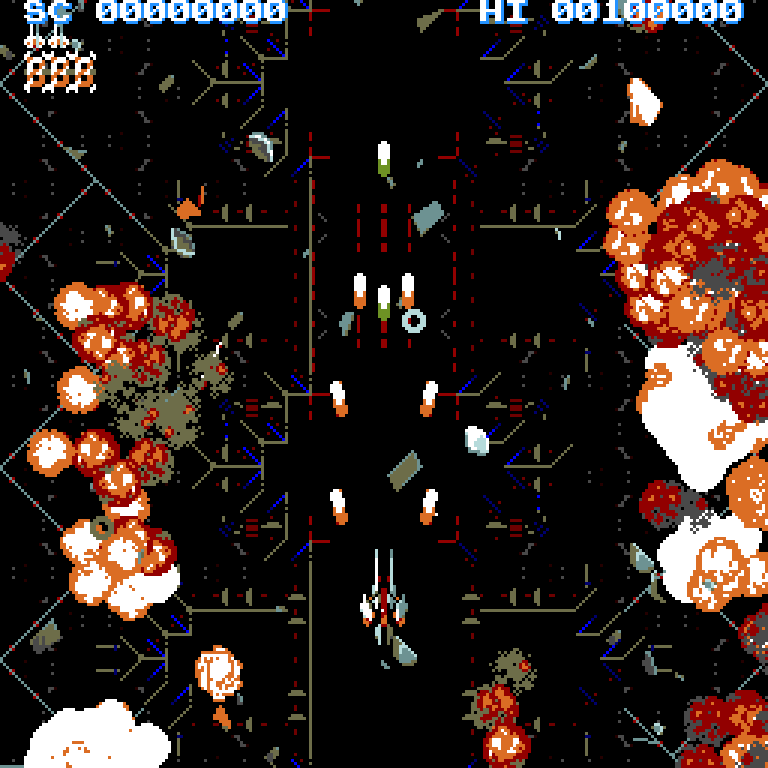
The port does not emulate the X68000. The game’s own program, 68000 code and all, was translated to C and runs on the Raspberry Pi Pico (RP2040) in the cartridge, which draws every frame. The Atari shows them, with both screen borders open to fit the game’s 256 lines, plays the sound and reads the joystick. Every frame is the one the X68000 would have shown, in sixteen colours.
Bring your own files. None of the game is included in the app, its source code or this site. The game’s files are made in your browser, at chorensha.sidecartridge.com, from the public repository of the Amiga port. Nothing is uploaded.
Table of contents
🛡️ What you need
- An Atari ST, STE, Mega ST or Mega STE (PAL, 50 Hz) with a colour monitor.
- A SidecarTridge Multi-device with Cho Ren Sha 68k installed from the app store, and a microSD card with about 51 MB free. The app reads the card at 8 MHz or more: if the SD card speed in Booster is lower, raise it.
- A computer with a web browser, to make the game’s files.
- A joystick in port 1, the one the mouse does not use.
🚀 Installation
- Launch the Booster App on your SidecarTridge Multi-device.
- Open the Booster web interface.
- In the Apps tab, select “Cho Ren Sha 68k” from the list of available apps.
- Click “Download” to install the app to your SidecarTridge’s microSD card.
- Once installed, select the app and click “Launch” to activate it.
Then make the game’s files (next section) and switch the Atari on.
💾 The game’s files on the card
- Download the Amiga port’s repository as a zip, at the commit this port was tested with (about 280 MB): chorensha-40fec7d.zip.
- Open chorensha.sidecartridge.com, drop the zip on the page and choose Make the files. Everything happens in your browser.
- Choose Write them to the card and pick the card’s top folder: the files go into its
CHORENSHAfolder. In a browser that cannot write to a folder, downloadCHORENSHA.zipinstead and unzip it onto the card.
The page makes the sound for every machine, so the same card plays on an STE and on a plain ST.
After updating the app, make the files again. Each release’s game files fit only its own firmware. If they do not match, the Atari says so and shows a QR code to the right page for your release.
🕹️ Starting a game
Put the card in the Multi-device and switch the Atari on: it starts to the GEM desktop. Open the cartridge’s drive, C:, and start GAME.TOS.
If the card is not ready, the game says why, in red, with a QR code to the page that makes the files. It checks the card again every second, so the game starts as soon as the files are there. Esc goes back to the desktop, B starts Booster.
| Message | What to do |
|---|---|
| THE GAME’S FILES ARE NOT ON THE CARD YET. | Make the files (above). |
| NO MICROSD CARD FOUND IN THE CARTRIDGE. | Put the card in the Multi-device. |
| A FILE IS MISSING: name | Make the files again, or copy the folder again. |
| A FILE IS INCOMPLETE: name | The same: the copy was cut short or the file changed. |
| THE FILES ON THE CARD ARE FOR ANOTHER VERSION. | Make the files again, from the page the QR code opens. |
| MICROSD CARD TOO SLOW | In Booster, set the SD card speed to 8 MHz or more, or use a faster card. |
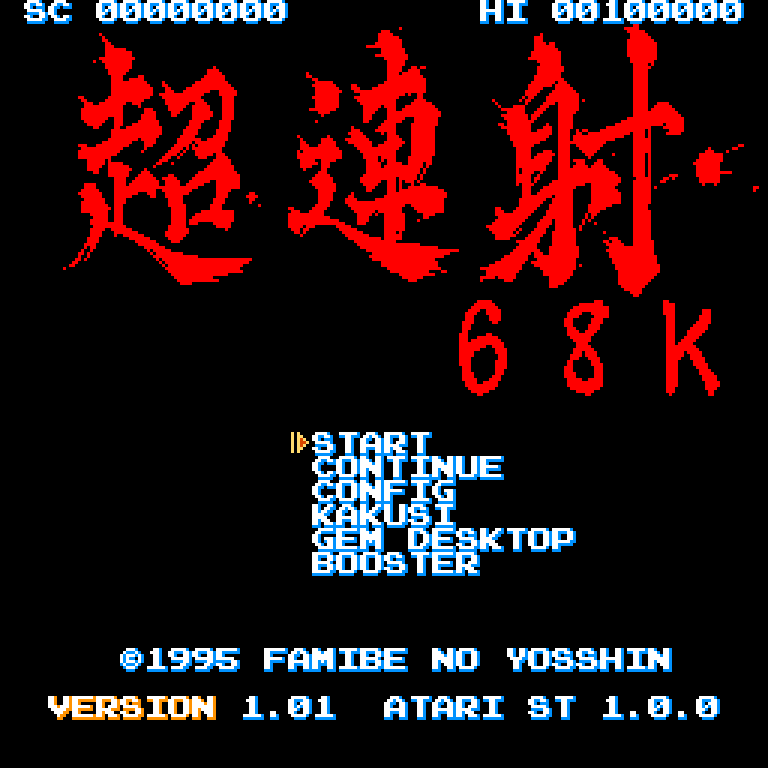
On the title:
| Item | What it does |
|---|---|
| START | A new game from stage 1. |
| CONTINUE | A game from the stage where the last one ended. |
| CONFIG | The options (below). |
| KAKUSI | The hidden menu (below). K on the title opens it too. |
| GEM DESKTOP | Back to the GEM desktop. |
| BOOSTER | Back to Booster. |
Left alone, the title shows the high scores and then the demo.
⌨️ Controls
| Input | In a game | In the menus |
|---|---|---|
| Joystick, or the cursor keys | Move the ship | Move the cursor; left and right change a value |
| Fire, or Alternate | Shoot | Choose (on the title, start a game) |
| Space | Bomb | In BGM PLAY, stop the music |
| Esc | Pause; Esc again goes on | |
| G, while paused | Leave the game for the GEM desktop | |
| B, while paused | Back to Booster | |
| K, on the title | Open the hidden menu |
A new ship comes every 1,000,000 points. A score good enough for the table asks for a name: move over the letters with the joystick, fire to add one, and choose ED to finish. The table is kept on the card, as SCORE.DAT in the CHORENSHA folder.
The cartridge’s SELECT button restarts the Multi-device (reset the Atari afterwards). Held while the Atari is switched on, it starts Booster instead of the game.
⚙️ CONFIG
Up and down choose an item, left and right change a number, fire plays or toggles. The options are not saved: a reset puts them back.
| Item | What it does |
|---|---|
| PCM PLAY | The sound test: fire plays sound effect N. |
| BGM PLAY | The music test: fire plays song N, the bomb button stops it. |
| SHOT=A BOMB=B | Swaps the two buttons. |
| SILENT MODE | Turns the sound effects off; the music plays on. |
| INIT SCORE DATA | Clears the high-score table and saves it on the card. |
| EXIT | Back to the title. |
🔓 The hidden menu (KAKUSI MODE)
The original opens it with three pad directions held at once, which a joystick cannot do, so here it is on the title. Values are in hexadecimal. MUTEKI and DEBUG apply at once; the rest apply to the next game.
| Item | Default | What it does |
|---|---|---|
| MUTEKI | 0 | 1: invincibility. |
| STAGE | 1 | Where CONTINUE starts: 1 to 7 the stages, F the SHOW TIME stage. |
| ACCHO | 0 | The loop. From the second, destroyed enemies fire back. |
| TD_SPEED | $10 | The enemies’ bullet speed: $20 is twice as fast, 0 stops them. |
| JK_SPEED | $30 | The ship’s speed. |
| BOSS_ONLY | 0 | 1: every stage starts at its boss. |
| DEBUG | 0 | 1 to 3: Tab freezes the game and steps frames, Ctrl+Shift gives a power-up, 1 ends the stage’s part. DEBUG 1 also shows the sprite count. |
| KASEGI | 0 | 1: the scoring mode, with build counters that multiply each kill’s points. |
| EXIT | Back to the title. |
The repository’s README explains every value and the original’s items left out of this port.
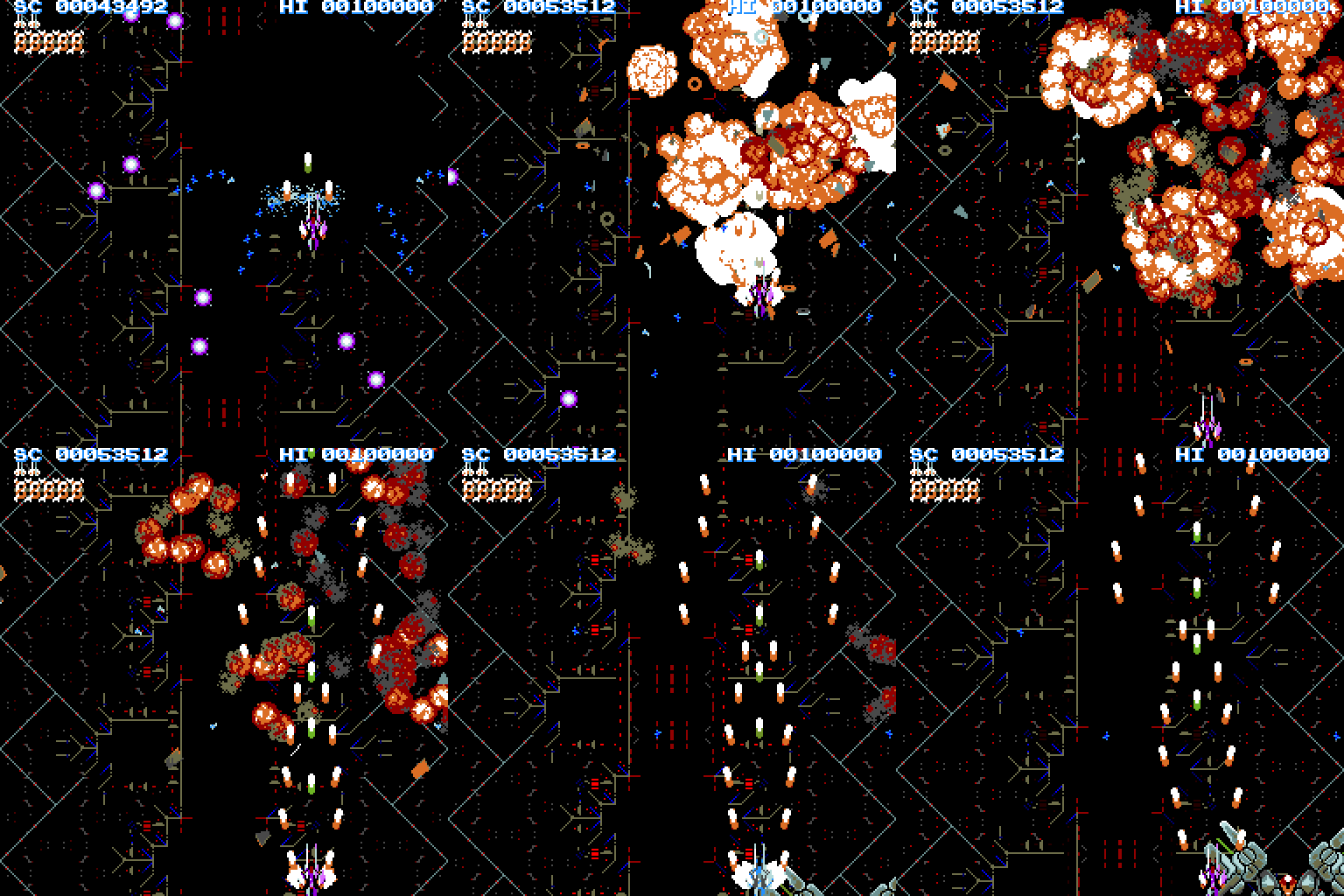
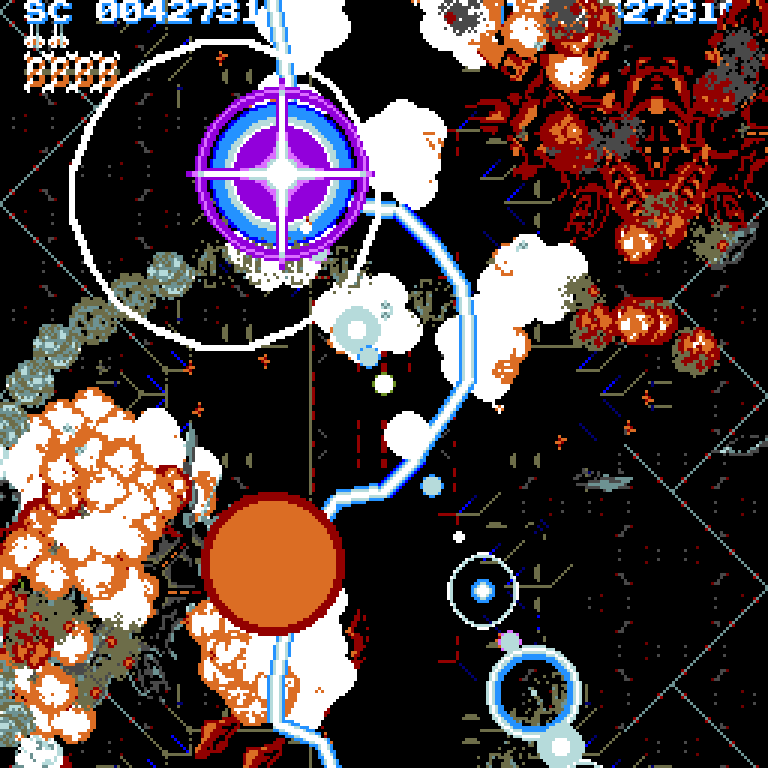
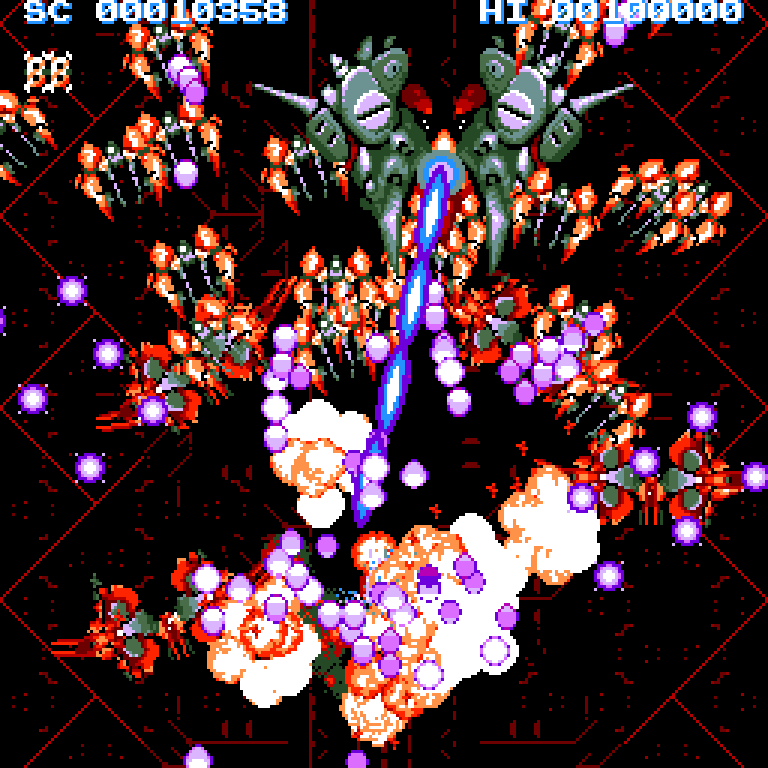
🚀 The game
 | 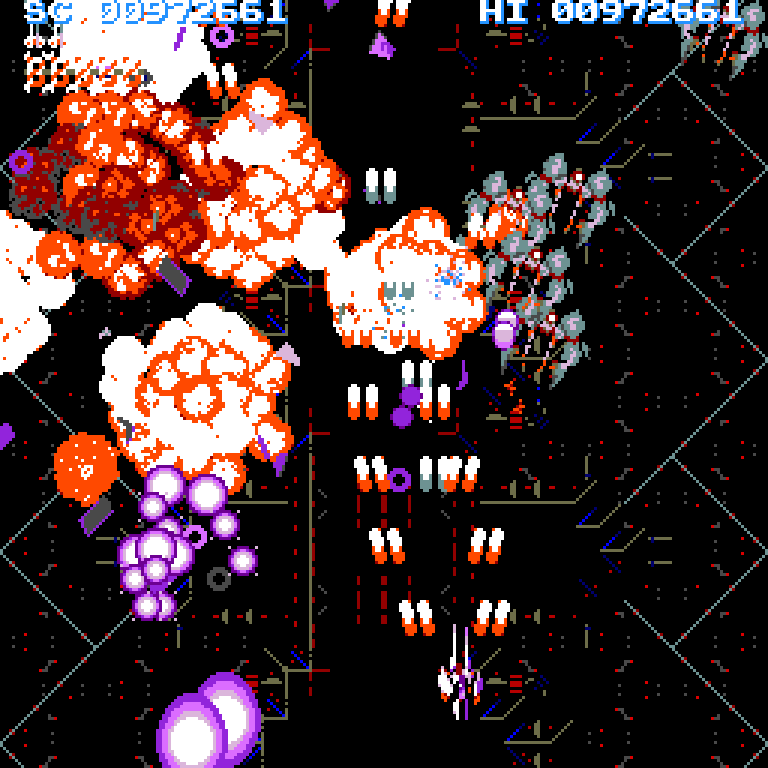 |
| Stage 1: the first waves | Stage 2 |
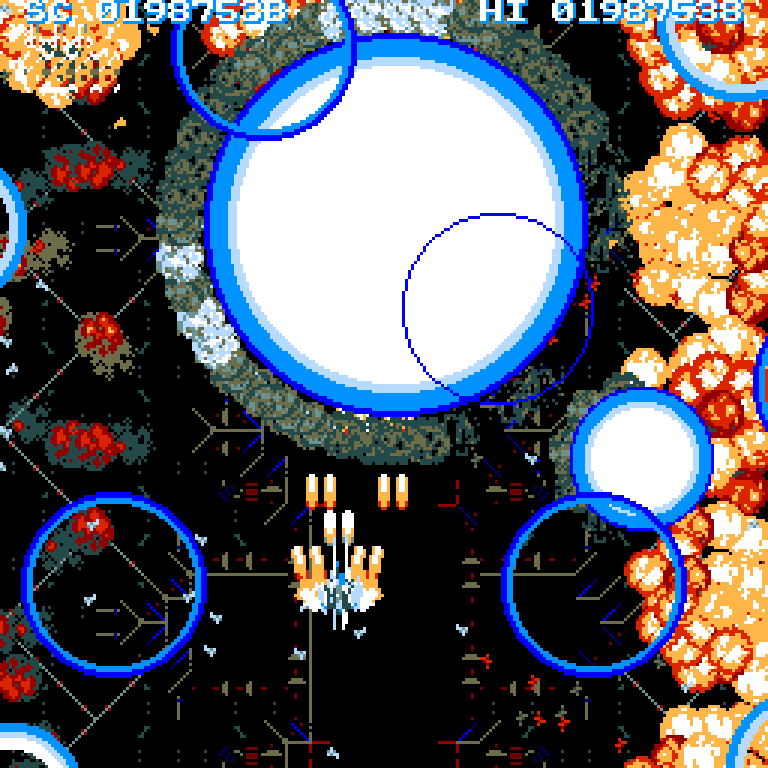 |  |
| Stage 3, at its busiest | Stage 1's boss going down |
 | 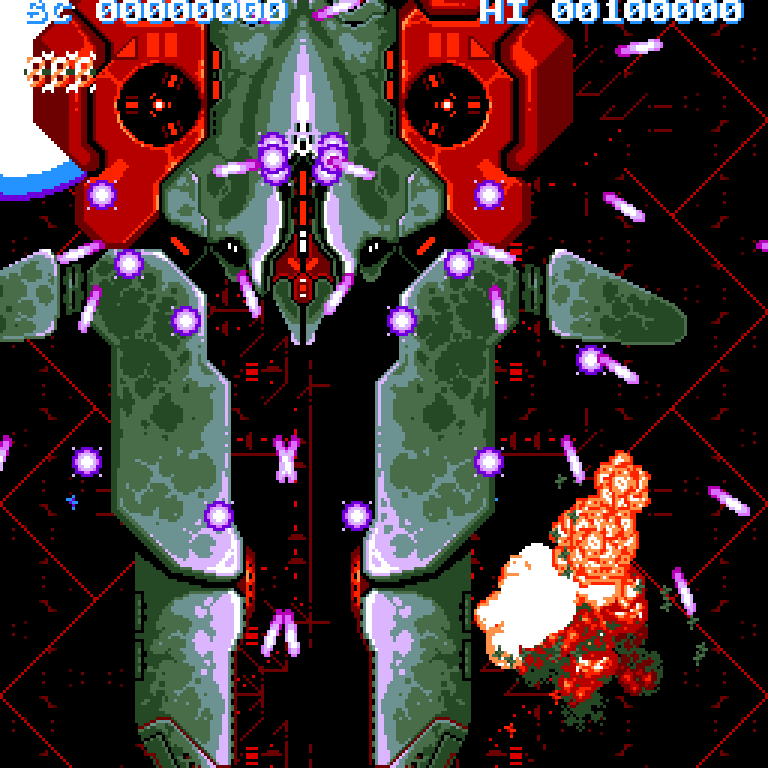 |
| Stage 7: bullets everywhere | Stage 7's boss |
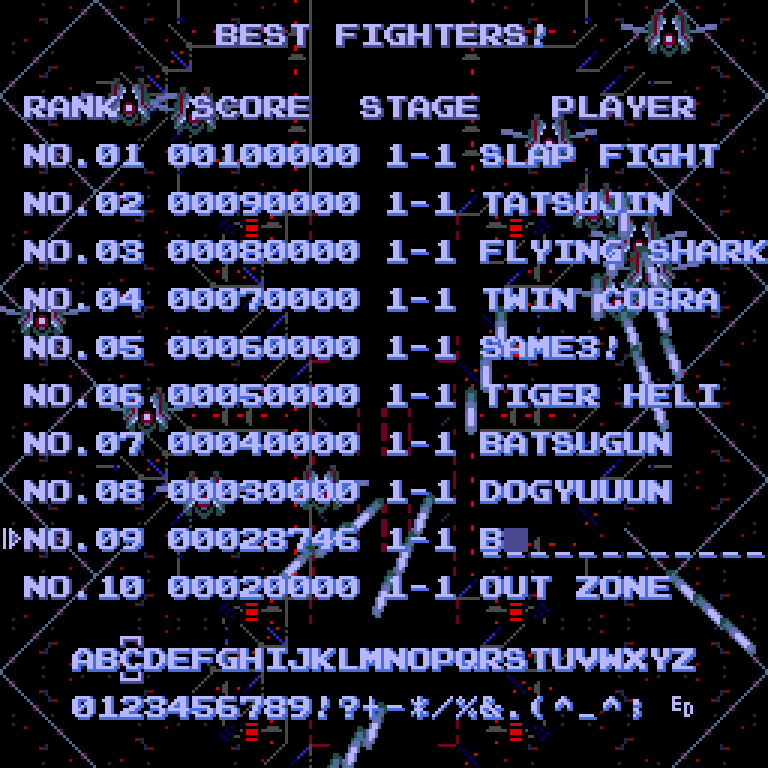 | |
| BEST FIGHTERS!: your name in the table, kept on the card | |
🔧 How it is made
The whole story is on its own page: Cho Ren Sha 68k at 50 frames a second. It covers the twenty milliseconds of a frame, both borders opened, the translation from 68000 to C, the stages streamed from the card into flash, the sixteen colours and the sound.
In short: a translator of the port’s own turns the game’s 68000 program into C, 651 functions and 71,339 instructions, with no hand porting and no 68000 interpreter. It runs on the RP2040 in 1.7 ms a frame on average. The game is too big for the cartridge’s flash, so each stage is copied from the card into flash between stages. Every frame, the cartridge picks the sixteen ST colours that best match the game’s palette at that moment, so the colour cycling and the fades still play. On an STE or a Mega STE the music plays through the DMA sound chip; on an ST or a Mega ST, through the YM2149, written by the 68000 while it copies the frame.
The translation was checked against the Amiga port, which runs the original’s 68000 code: a recorded game through all seven stages and the second loop matched at every checkpoint.
🙏 Acknowledgements
This app stands on the shoulders of others, with thanks:
- Famibe no Yosshin, who wrote Cho Ren Sha 68k for the Sharp X68000 in 1995.
- Sascha Springer, for the Atari Falcon port and the disassembly it builds on.
- Adam Polkosnik, for the Amiga port, whose repository the game’s files are made from and whose renders of the music this port plays.
- miniz, whose inflater reads the zip (MIT licence).
- QR Code generator by Project Nayuki (MIT licence): the QR code to the files page.
- md-framebuffer-template and md-microfirmware-template by SidecarTridge: the framework this app is built on.
Cho Ren Sha 68k is © 1995 Famibe no Yosshin and is not part of this project: the app plays files made from the player’s own download.
🛠️ Setting Up the Development Environment
This app is built on the md-framebuffer-template, a variant of the SidecarTridge Multi-device Microfirmware App Template. Build instructions and the release steps are in the repository’s README. For the Multi-device’s programming documentation, see the Programming Guide.
📄 License
This project is licensed under the GNU General Public License v3.0. See the LICENSE file for full terms.
🤝 Contributing
Made with ❤️ by SidecarTridge