Before You Buy
Use this checklist to confirm that your Amiga motherboard is compatible with the SidecarTridge Kickstart Multi ROM and that you select the correct kit before purchasing.
The emulator is designed for specific Amiga 500 and Amiga 2000 motherboard revisions.
Different carrier boards are required depending on the revision.
Table of contents
Step 1 — Check your Amiga model and motherboard
Open the case and locate the motherboard revision number printed on the board.
The revision label is usually located near the center or near the Kickstart ROM socket.
Check the revision against the list in the
Compatibility section.
If your motherboard is not listed, contact support before purchasing.
Step 2 — Identify the motherboard revision
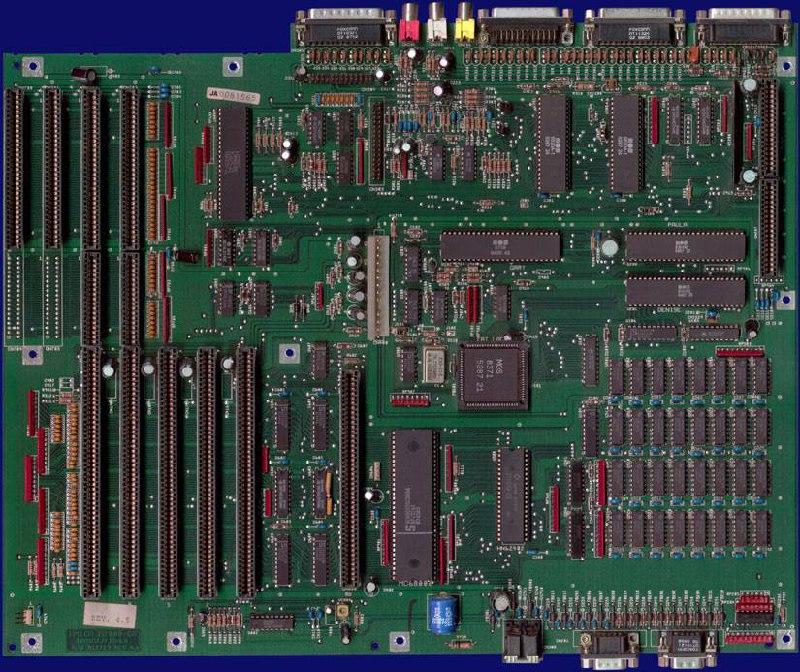
Amiga 2000
Example of a revision 4.5 motherboard:
| Revision | Motherboard | Notes |
|---|---|---|
| rev4.2 and earlier | 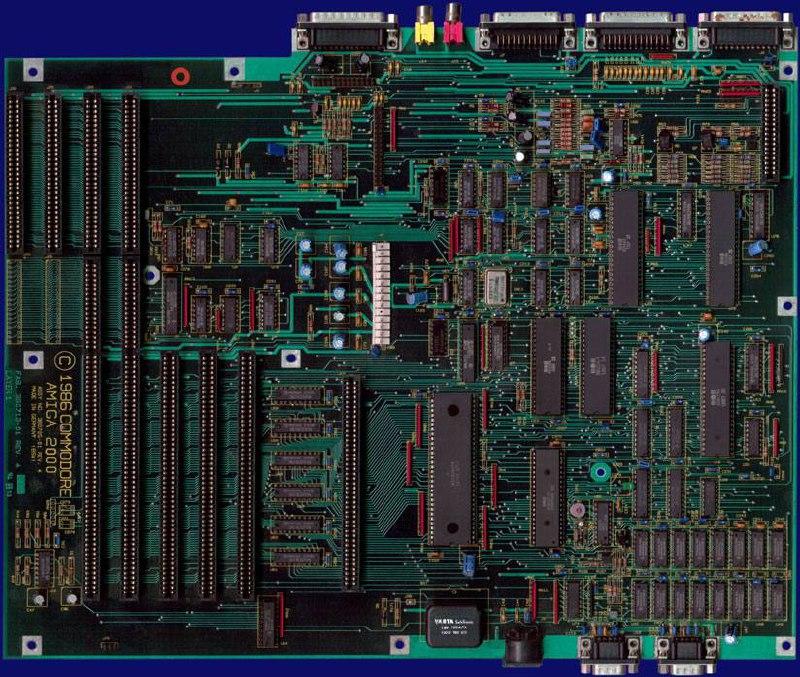 | No silkscreen model information. Old PSU connector. Uses rev4.2 carrier. |
| rev4.3 and later | | Revised silkscreen and new PSU connector. Uses rev4.3+ carrier. |
| rev6.2 | 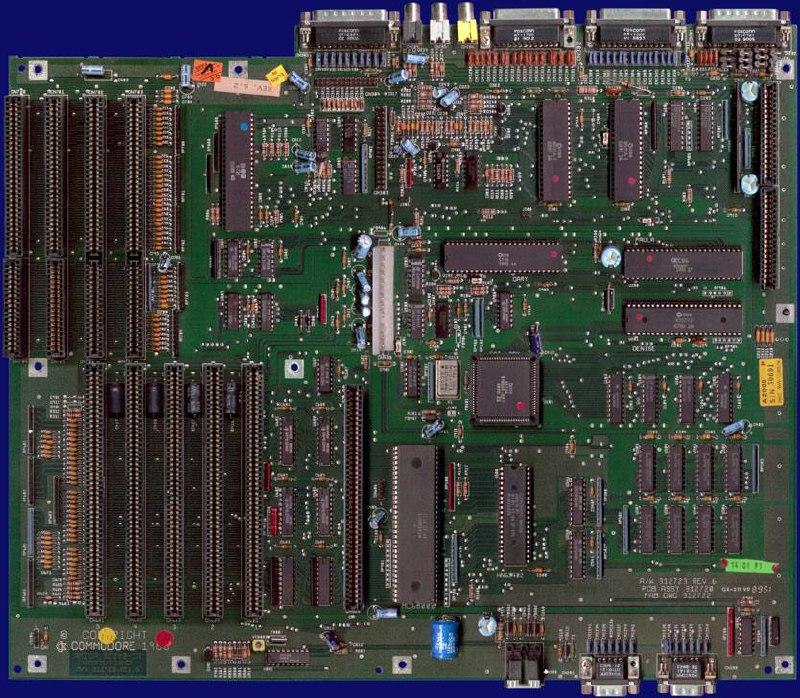 | Revised silkscreen and new PSU connector. Uses rev4.3+ carrier. |
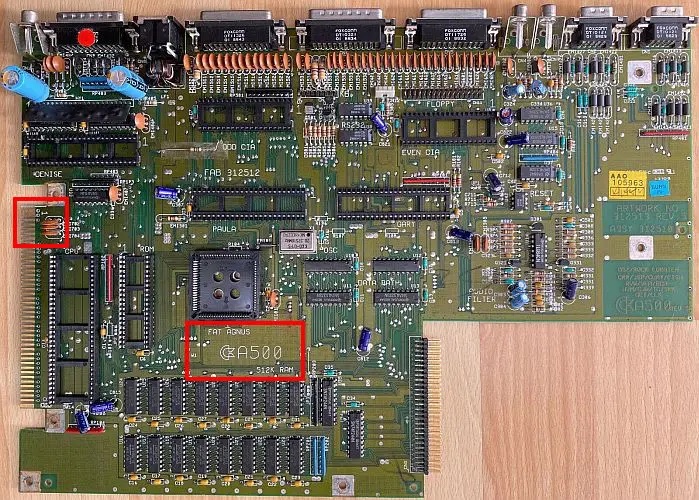
Amiga 500
Example of a revision 5 motherboard:
| Revision | Motherboard | Notes |
|---|---|---|
| rev3 | 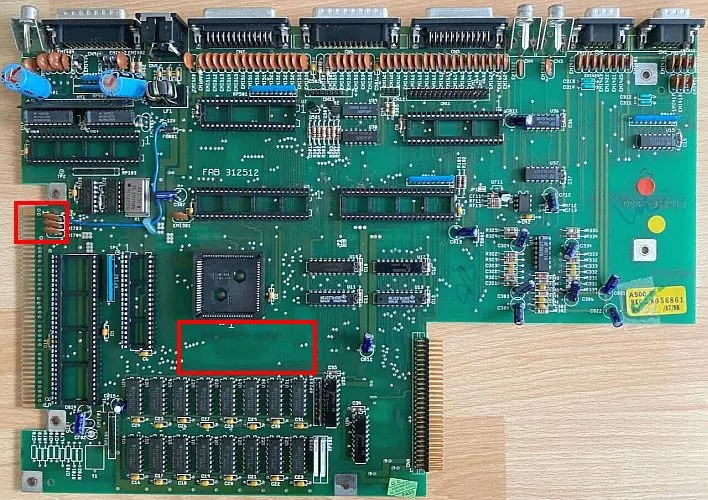 | No silkscreen above RAM chips. |
| rev5 | | 16 RAM chips, A500 silkscreen present. |
| rev6a | 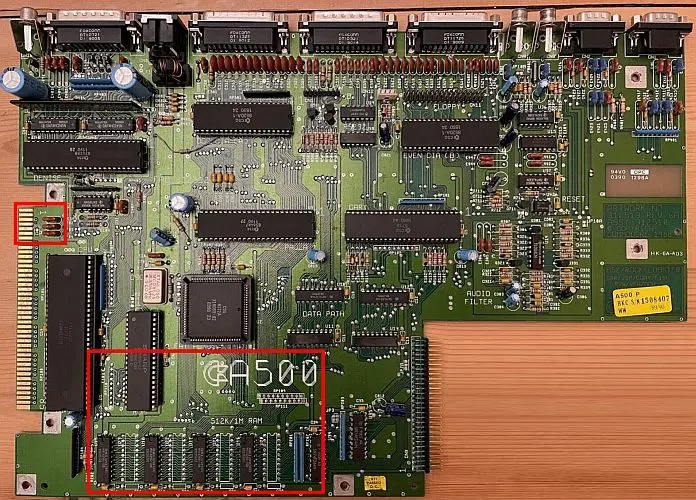 | 8 RAM positions, A500 silkscreen. |
Step 3 — Check if ROMs are socketed
The Kickstart ROMs must be installed in sockets.
If your ROMs are soldered to the motherboard, they must be removed and sockets installed.
If you are not experienced with desoldering, ask a qualified technician to perform the work.
Incorrect desoldering can permanently damage the motherboard.
Step 4 — Choose the correct emulator kit
Select the kit that matches your motherboard revision. The A500 family is covered by two kits, and the A2000 family by another two.
| Kickstart Multi ROM kit | Supported motherboards |
|---|---|
| A500 carrier rev5 and earlier | A500 rev3, A500 rev5 |
| A500 carrier rev6 and later | A500 rev6a |
| A2000 carrier rev4.2 and earlier | A2000 rev4.2 and earlier |
| A2000 carrier rev4.3 and later | A2000 rev4.3 and later |
Modified Amigas
The Kickstart Multi ROM is designed, tested and supported on Amiga 500 and Amiga 2000 computers in their original stock configuration. Memory expansions, CPU accelerators, custom logic replacements, bodge wires and aftermarket ROM adapters are out of scope and not covered by warranty. If your Amiga is modified, please contact us before ordering.
Notes on Kickstart ROM sources
The emulator targets the 512KB Kickstart ROM socket and expects the active image to be exactly 524288 bytes (512KB). Most Kickstart 2.04 and later images, as well as DiagROM and EmuTOS, are already 512KB and can be copied directly to ROMEMUL.
If you plan to use a Kickstart 1.x image (1.1, 1.2, 1.3), be aware that those originals are 256KB. Real Amiga motherboards mirror them into the 512KB socket natively, but the Kickstart Multi ROM does not. Before copying a 256KB Kickstart to the device you must mirror it to 512KB:
- From an Amiga Forever encrypted source, the web converter does the mirror automatically.
- From a plain 256KB dump, you mirror the file yourself with one of the snippets in Already-decoded Kickstart ROMs.
This is a one-time, one-command step per ROM. It is mentioned here because it is the most common surprise for users coming from the Kickstart 1.x era.
Notes on motherboard identification
The revision tables above were created using multiple hardware references, including:
https://dfarq.homeip.net/amiga-500-motherboard-revisions
https://amiga.resource.cx/mod/a2000.html
Motherboard layouts may vary slightly between production runs.
If unsure, check the Compatibility page or contact support.