Board revision 4
The Kickstart Multi ROM board we sell now. It runs firmware v4.0.0, the same firmware as board revision 3.
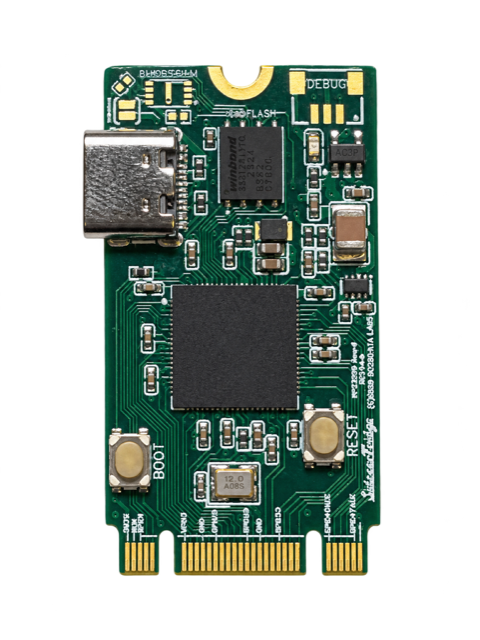
On sale
RP2350B microcontroller, firmware v4.0.0.
Your ROM Emulator board, on top of the carrier board, is this one if:
- A short card with a gold edge connector along its bottom edge, plugged into the carrier board.
- USB-C connector on its left side.
INFO.TXTon its drive saysBoard variant: RP2350B.
Read the guides in this order
- Getting Started What comes in the kit, the
ROMEMULdrive, copying Kickstart images, and installing the firmware. - Hardware Installation Opening your Amiga, setting the OOPS Bug jumper and fitting the board.
- User Guide The LEDs, the SWITCHER, and rescue mode, day to day.
- Large ROMs Experimental: Kickstart images of up to 1 MB on the Amiga 500+ and 600, and how to prepare them.
- Advanced Settings Every setting in
CONFIG.TXT, including the ones only this board has, such asLARGE_ROMS. - Troubleshooting What to check when the drive, the Amiga or the SWITCHER does not behave.
For every board
Compatibility lists the Amiga motherboards and Kickstart versions tested, the Kickstart ROM Conversion guide prepares your Kickstart images, the FAQ answers the most common questions, and the Changelog has what changed in each firmware.