Before You Buy
Use this checklist to confirm that your Atari ST motherboard is compatible with the SidecarTridge TOS Emulator and that you select the correct kit before purchasing.
Every kit we sell comes with board revision 4, shipped from 1 November 2026. The RESCUE cable and push button are optional with it: the board starts rescue mode when you hold the Atari’s own RESET button while switching it on (how). You can still add them to your order.
The emulator is designed to work with specific Atari ST, Mega ST, STE and Mega STE motherboards. Different carrier boards are required depending on the motherboard model and the number of ROM chips installed.
Table of contents
Step 1 - Check your Atari ST motherboard model
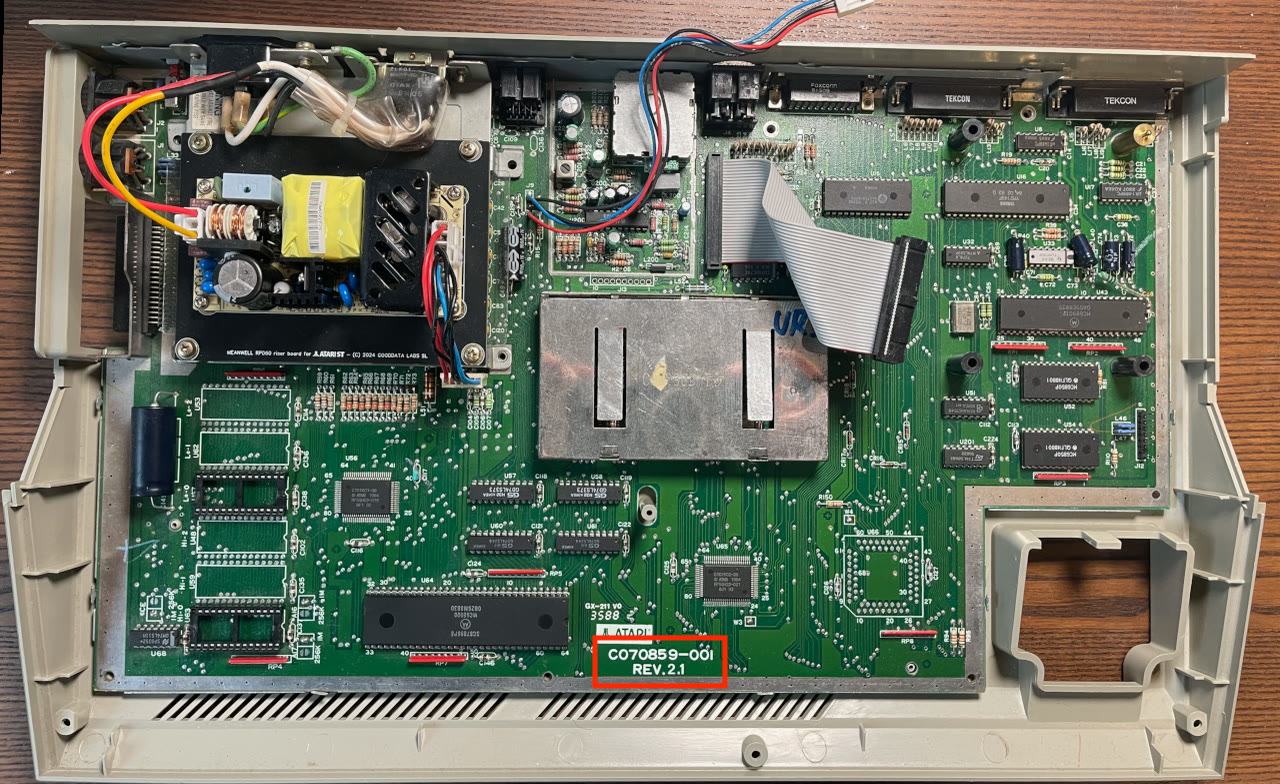
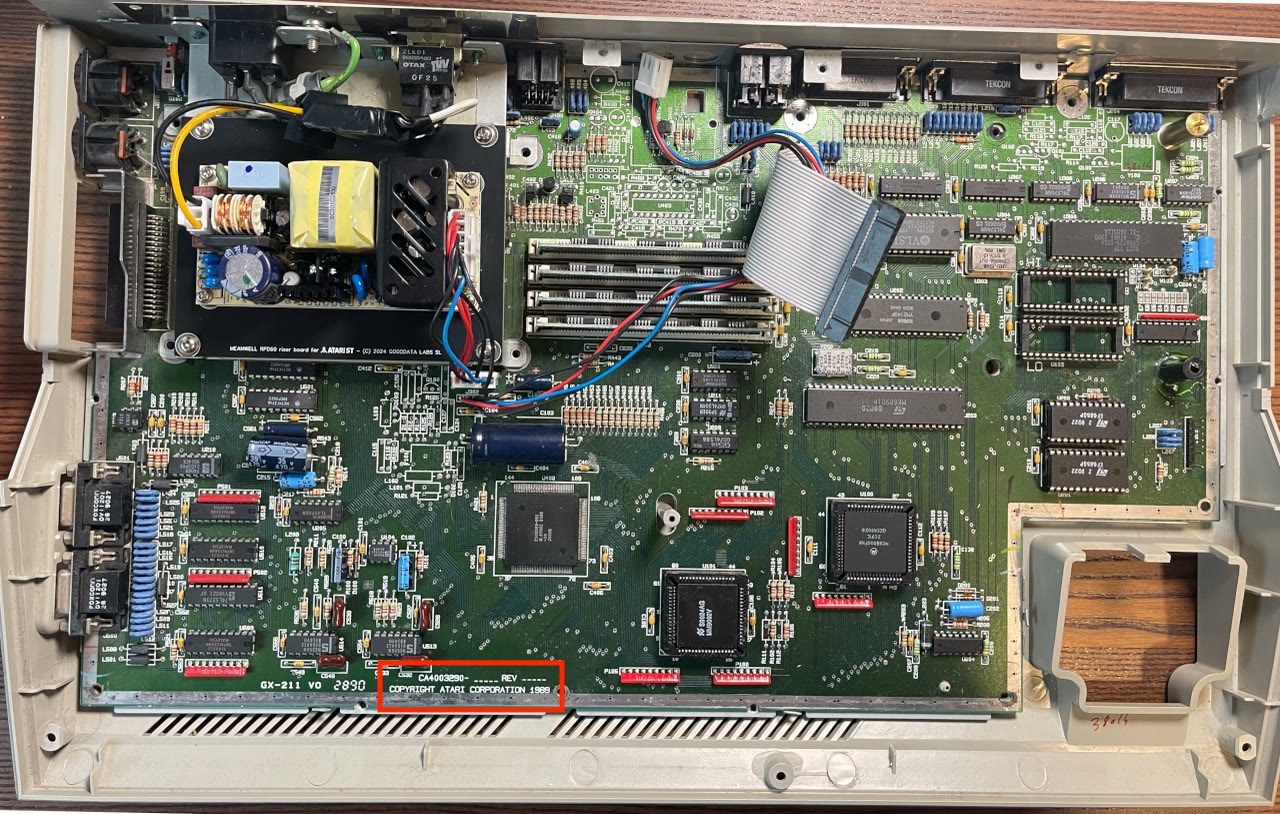
Open the case and locate the motherboard model number printed on the board, usually in the middle bottom area.
Check the model number against the list in the Compatibility section. If your motherboard is not listed, contact support before purchasing.
For reference, an Atari ST motherboard model number might look like this:
An Atari STE motherboard model number might look like this:
Step 2 - Determine the number of ROMs
The SidecarTridge TOS Emulator supports Atari ST motherboards with two or six ROM chips. Count the physical ROM chips on your motherboard before proceeding; the correct kit depends on this number.
Step 3 - Check if the ROMs are socketed
The TOS ROMs must be installed in sockets. If your ROMs are soldered, they need to be removed and sockets fitted in their place before you can use the emulator.
If you are not experienced with desoldering, ask a qualified technician to perform the work. Incorrect desoldering can permanently damage the Atari ST motherboard.
Step 4 - Purchase the right SidecarTridge TOS Emulator kit
Once you have confirmed your motherboard model and the number of ROM chips, select the kit that matches both. Use the table below.
| Computer | Motherboard | ROM chips | SidecarTridge TOS Emulator kit | Installation |
|---|---|---|---|---|
| Atari 520ST+ and 520STM | C070243 | 6 | ST+ and STM Kit C070243 | C070243 |
| Atari 520STFM, 1040STF and 1040STFM | C070789-001, C070859-001, C103175-001, C103414-001 | 2 | STF and STFM Kit C070789 C070859 C103175 C103414, 2 ROMs | C070789 and others |
| Atari 520STFM, 1040STF and 1040STFM | C070789-001, C070859-001, C103175-001, C103414-001 | 6 | STF and STFM Kit C070789 C070859 C103175 C103414, 6 ROMs | C070789 and others |
| Atari 1040STF and 520STFM | C070523 | 6 | Read before ordering No kit of its own: the ST+ and STM Kit C070243 fits, see the note below | C070523 |
| Atari Mega ST1, Mega ST2 and Mega ST4 | C100167, C100501, C103277, C103544-001 | 2 | Mega ST Kit | Mega ST |
| Atari 520STE and 1040STE | CA4003290 | 2 | STE Kit | STE |
| Atari Mega STE | CA400677 | 2 | Mega STE Kit | Mega STE |
There is no kit for motherboard C070523. Its ROM sockets are right under the power supply, with very little room between them. The ST+ and STM Kit C070243 works on it, but the power supply ends up very close to the boards: a tight fit, and not one we recommend. If that is fine for you, see motherboard C070523 in Hardware Installation.