Apps Catalog
v2.4.2
Table of contents
Microfirmwares
What is a microfirmware?
A Microfirmware app is a small, self-contained program that runs on a standalone RP2040 or RP235x chip, along with a companion firmware on your computer that talks to it. Together, they provide the features of the device.
Launching microfirmwares from the Atari ST terminal
Starting with Booster v2.1.0 you can launch any microfirmware that is already downloaded even when Wi-Fi is unavailable. When the Manager screen appears on the Atari ST:
- Press
ESCto enter the terminal-driven apps workflow. Use the keyboard to pick the microfirmware you want to boot. - Hold any
SHIFTkey if you simply want to keep booting from GEMDOS without touching the web UI.
This offline-safe launcher is useful when the access point is down, the router blocks the device, or you just prefer not to open the web interface.
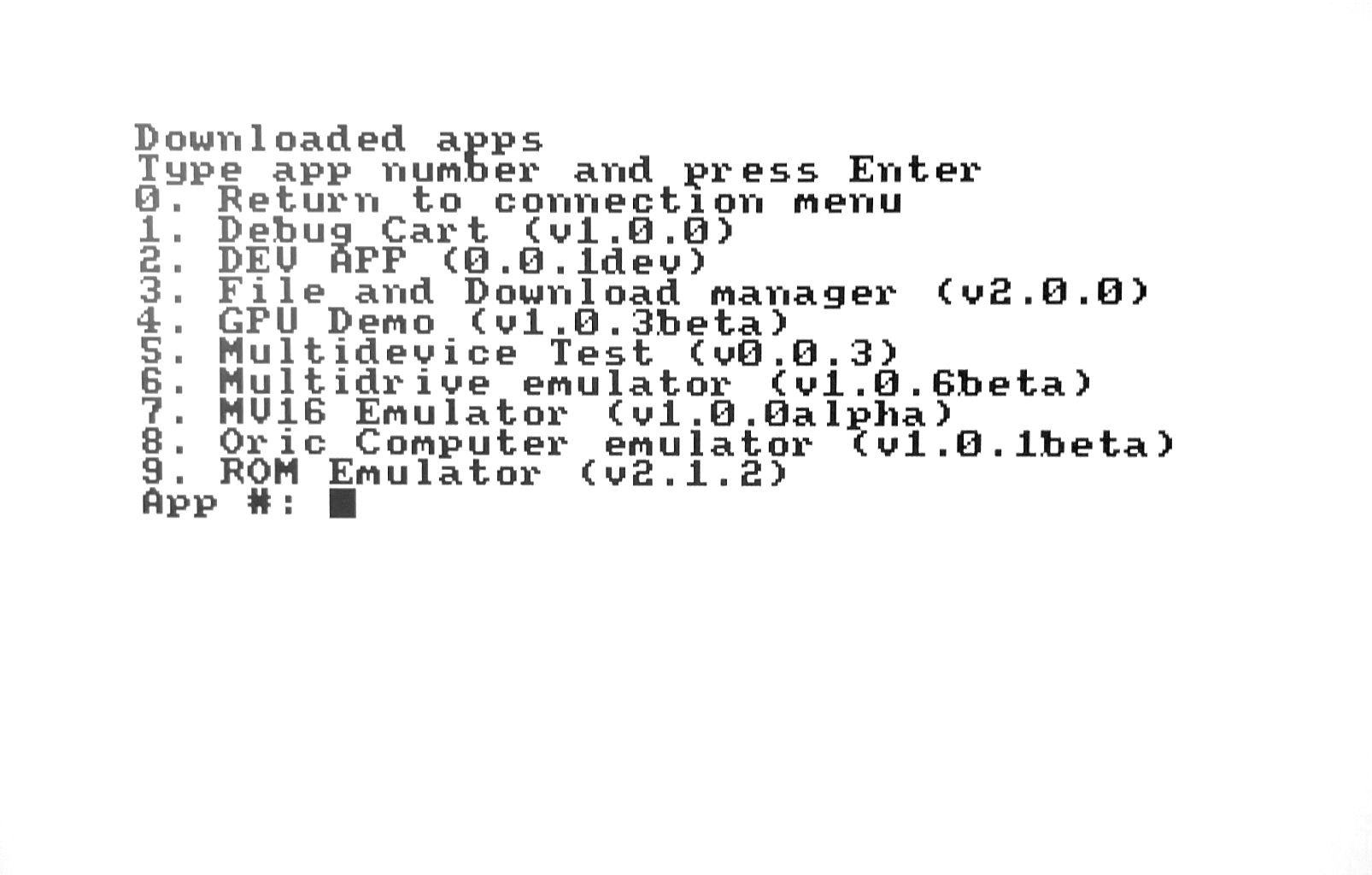
Available Microfirmware Apps
The full, always up to date catalog of Microfirmware apps lives in the online Apps Store. It reads the same public repository the Booster app uses, so the list you see there matches exactly what you can install on your device, including alpha and beta builds.
Every app in the Store links back to its documentation page here in the docs. You can also open any app page directly from the navigation sidebar on the left.
App instructions
Step-by-step instructions for each microfirmware app:
| App | What it does |
|---|---|
| Drives Emulator | Emulates hard disks, floppy drives and a real-time clock from the microSD card. |
| ROM Emulator | Emulates a ROM cartridge. |
| Real Time Clock Emulator | Emulates a real-time clock that takes the time from an NTP server. |
| File & Download Manager | Browses and downloads floppy images from the public database and manages files on the microSD card. |
| MV16 Emulator | Emulates the MV-16 audio device. |
| Cubase Dongle Emulator | Emulates the Steinberg Cubase copy-protection dongle. |
| MIDI-to-IP | Carries the Atari’s MIDI traffic over the network, for games like MIDI Maze. |
| Oric Computer Emulator | Emulates an Oric-1 and Oric Atmos computer. |
| Dragon’s Lair | The 1983 laserdisc arcade game, full screen with sound, played from your own CD-ROM’s clips. |
| Xenon 2 Megablast 50fps | The Bitmap Brothers’ 1989 shoot’em up at 50 frames a second, the whole game, played from your own disks. |
| GPU Demo | Demoscene showcase with the RP2040 as a graphics co-processor. |
| DevOps | Remote development surface for the m68k: upload files, launch and step through programs from your computer over Wi-Fi. |
| Debug Cart | Turns the Multi-device into a debug output cartridge. |
| Multi-device Test ROM | Test program to check the Multi-device works correctly. |
How it works:
Microfirmware App Core
This is the main program running on the RP2040 chip. It manages things like reading the microSD card, talking to the computer, and (if needed) providing a web interface.
Global Settings
These are settings for the whole device, stored in flash memory. The Microfirmware app reads them to know how the device is configured, but does not change them.
Local Settings
Each Microfirmware app can have its own settings, also stored in flash. These are used just by that app, so one app’s settings won’t affect another.
Computer Firmware
On the computer side, there is a small program (called the Booster app) that acts as a terminal and communicates with the Microfirmware app. Because this runs in the computer’s ROM, it’s harder to update and debug. Most testing and debugging happens on the Microfirmware app side.
The Booster App is designed to manage the Microfirmware apps on the device, allowing users to download, install, update, and launch them easily. It also provides a web interface for managing the apps.
The available Microfirmware apps are listed in a public repository, which the Booster app connects to. Users can browse and install apps from this repository, or upload their own apps to the device. They can also install their own repository for themselves or others to use.
Developing Microfirmware Apps
The quickest way in is the Build a microfirmware tutorial, a guided walkthrough from an empty template to an app listed in the Store. For the low-level reference, there is a template repository and the Programming Guide.
Each Microfirmware app should be a self-contained program that can run on the RP2040 or RP235x chip. It should include the necessary code to read the microSD card, communicate with the computer, and provide any additional features you want.
Reporting Issues
If you encounter any issues or bugs while using the Microfirmware apps, please report them to help us improve the software. You can find the list of issues and report new ones in the Issues and Bug Reporting section.