ST2VGA family (Rev.3 & Enhanced)
The ST2VGA adapters let an Atari ST/STE/Mega ST/Mega STE drive a compatible multisync VGA display while preserving the original Atari video timings (this is not a scan doubler or scaler).
This page explains the technical approach, the differences between the two variants, and when to choose each one.
At a glance
| Feature | ST2VGA (Revision 3) | ST2VGA Enhanced |
|---|---|---|
| Preview | 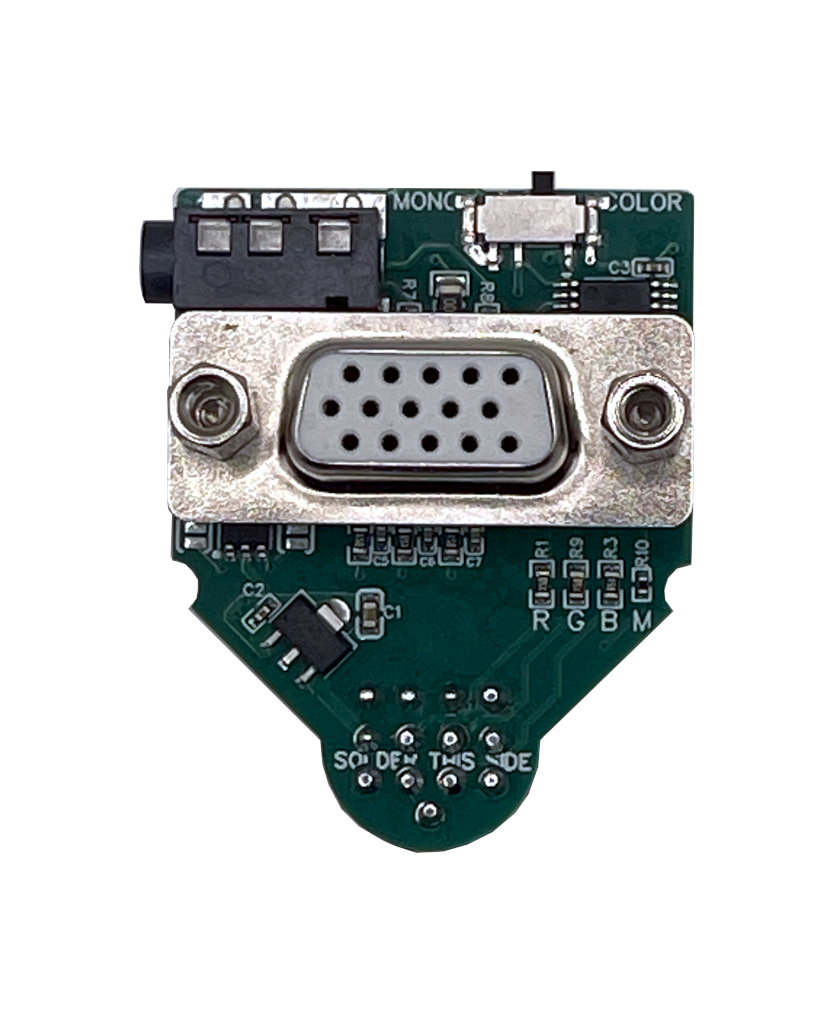 | 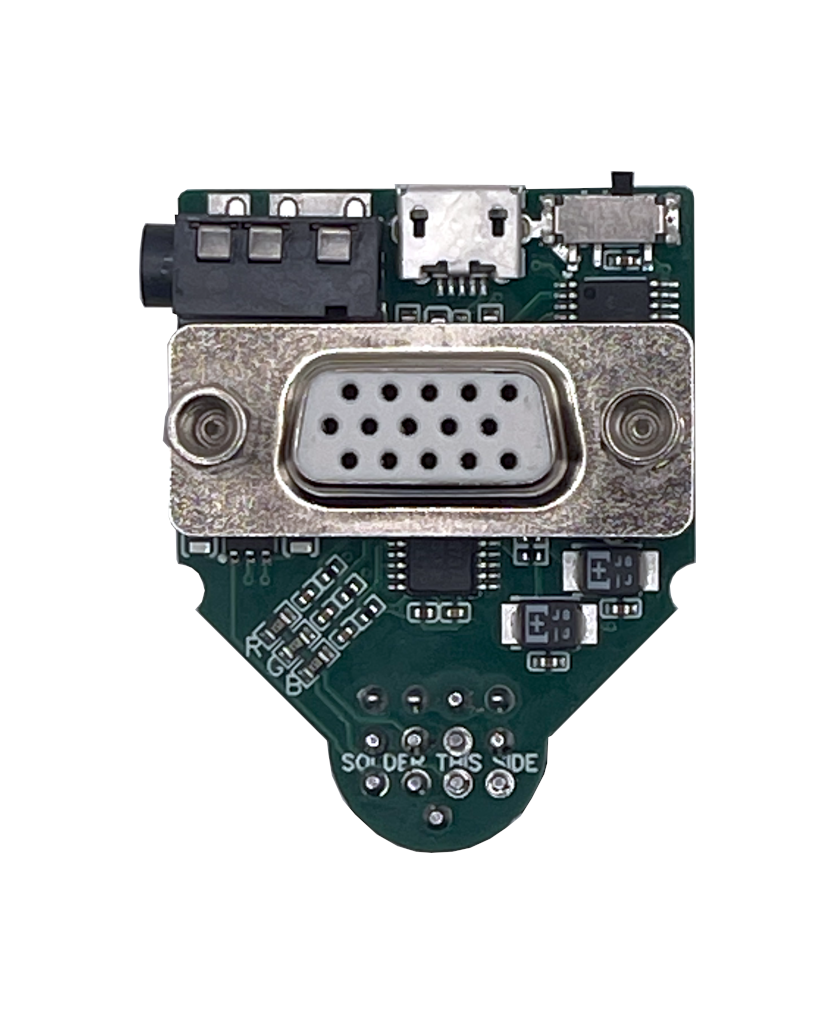 |
| Type | Passive adapter | Active signal-conditioning adapter |
| Best fit | Most machines with an already decent RGB analog stage | Difficult machines, noisy output, or picky displays |
| Power | No external power | External 5 V micro-USB power required |
| Main benefits | Cleaner output than previous revisions, improved signal integrity, dedicated filtering | RGB amplification, analog filtering, buffered output, reduced vertical jailbars on many systems |
| Product | https://sidecartridge.com/products/st2vga-atari-st/ | https://sidecartridge.com/products/st2vga-enhanced-atari-st/ |
| Quickstart | https://sidecartridge.com/quickstart/st2vga-atari-st/ | https://sidecartridge.com/quickstart/st2vga-enhanced-atari-st/ |
Revision log
| Revision | Changes |
|---|---|
| 1.x | First version. Widely released. Black PCB. |
| 2.x | Internal prototype revisions, not widely released. Green PCB. |
| 3.X | Public release with improved PCB design and filtering. Four-layer PCB, dedicated RGB low-pass filters, and electrical improvements. Green PCB. |
The core idea: keep Atari timings, output VGA levels
Both adapters keep the original Atari ST scan frequencies:
- Color modes (ST Low / Medium) are ~15 kHz horizontal sync.
- Mono mode (ST High) is ~31 kHz and works with most VGA-capable displays.
Because there is no scan conversion, your display must support 15 kHz HSYNC if you want to use color modes. (Many LCDs do not; many multisync VGA CRTs and some scalers/capture devices do.)
Reference list: http://15khz.wikidot.com/
What changed in ST2VGA Revision 3
Revision 3 is still a passive adapter, but with a stronger electrical design aimed at cleaner analog video:
- 4-layer PCB: improved ground referencing and controlled routing for RGB/sync.
- Dedicated RGB low-pass filtering: reduces edge noise/shimmer that some LCDs amplify.
- No external power: designed to be minimal load and plug-and-play.
If your machine already outputs reasonably clean RGB, Rev.3 is usually the best first pick.
What ST2VGA Enhanced adds (and why it needs power)
Some Atari ST boards (early revisions, aged components, marginal analog stages) can produce weak or noisy RGB that modern displays interpret poorly. Symptoms typically include:
- Washed out / low-contrast colors
- Instability that varies with cable length or monitor model
- Visible high-frequency noise (shimmer)
- Vertical “jailbars” (periodic vertical pattern, often ~16 pixels)
ST2VGA Enhanced adds an analog conditioning stage built around a quad video amplifier:
- Amplifies RGB to a more robust level
- Filters unwanted high-frequency noise
- Buffers the output so the monitor/cable does not load the Atari’s analog stage
That active stage requires a stable supply, so Enhanced uses external 5 V via micro‑USB.
A practical bonus: Enhanced can also be used with very early ST machines that do not provide +12 V on the monitor connector.
Which one should I buy?
- Choose ST2VGA (Rev.3) if:
- your monitor is compatible (15 kHz for color), and
- your ST already looks stable/clean with passive adapters, and
- you want a fully plug-and-play solution with no external power.
- Choose ST2VGA Enhanced if:
- you see jailbars or heavy noise on modern LCDs/capture devices, or
- colors are weak/unstable, or
- you have an early ST without +12 V on the video port, or
- you want the most robust signal conditioning available.
Audio
Both models provide a 3.5 mm audio jack that routes the Atari’s mono audio to both left/right channels for easy connection to speakers, amps, or capture devices.
Notes & limitations
- These devices preserve the original Atari timings; they are not scan doublers.
- Color modes require a 15 kHz-capable display.
- Final picture quality also depends on: Atari video circuitry condition, cable quality, monitor input stage, and grounding.
If you still struggle after following the quickstart guides, contact support with:
- your Atari model + motherboard revision (if known)
- your monitor model
- a short video/photo of the problem