ACSI2STM Hard Disk for Atari ST
The ACSI2STM is an open-source hard drive emulator designed for Atari ST computers, enabling the use of SD cards as storage devices. Powered by an STM32 microcontroller, it bridges the Atari’s ACSI port with modern SD cards, providing a cost-effective, reliable, and versatile solution for expanding storage on vintage Atari systems.
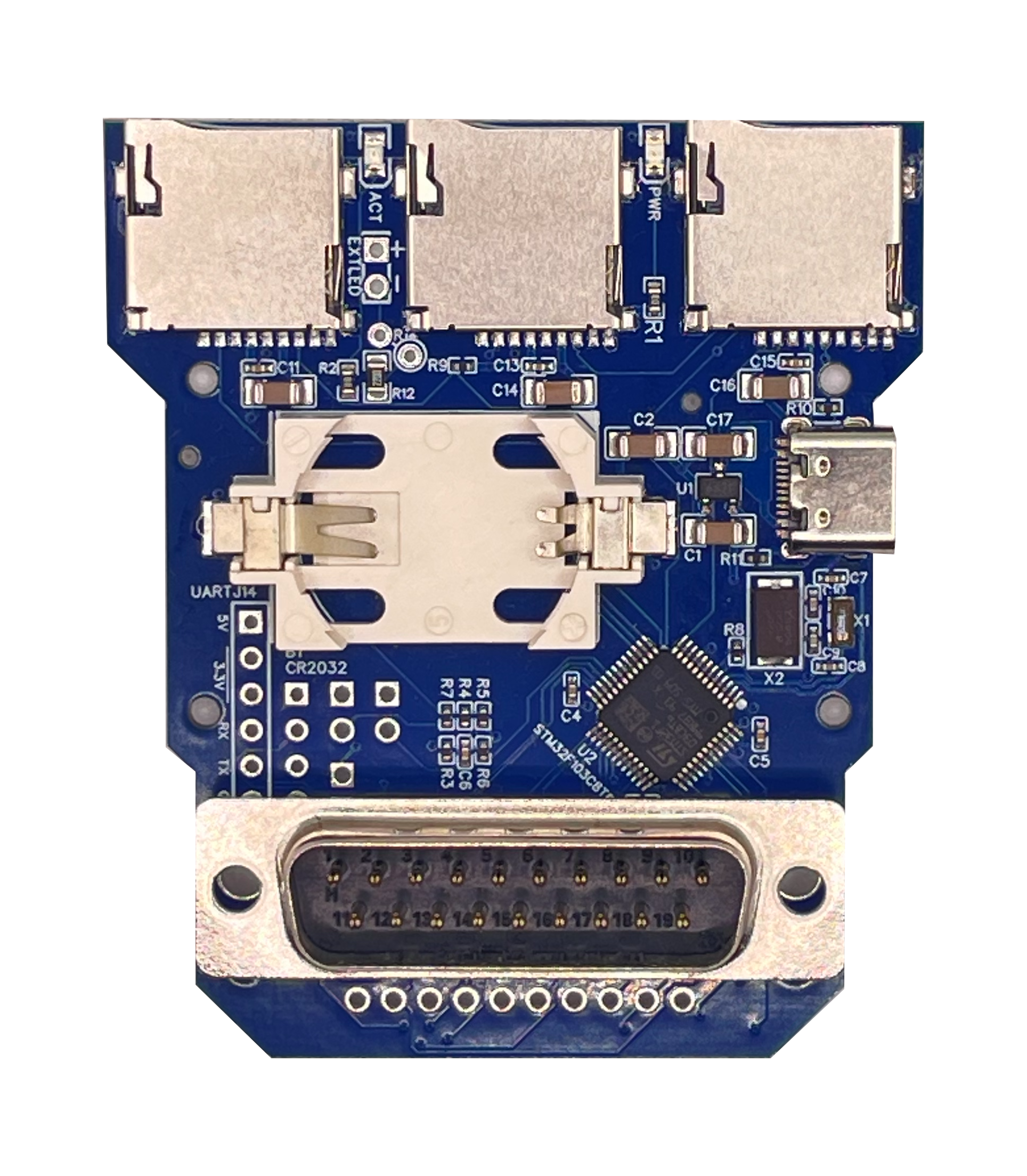
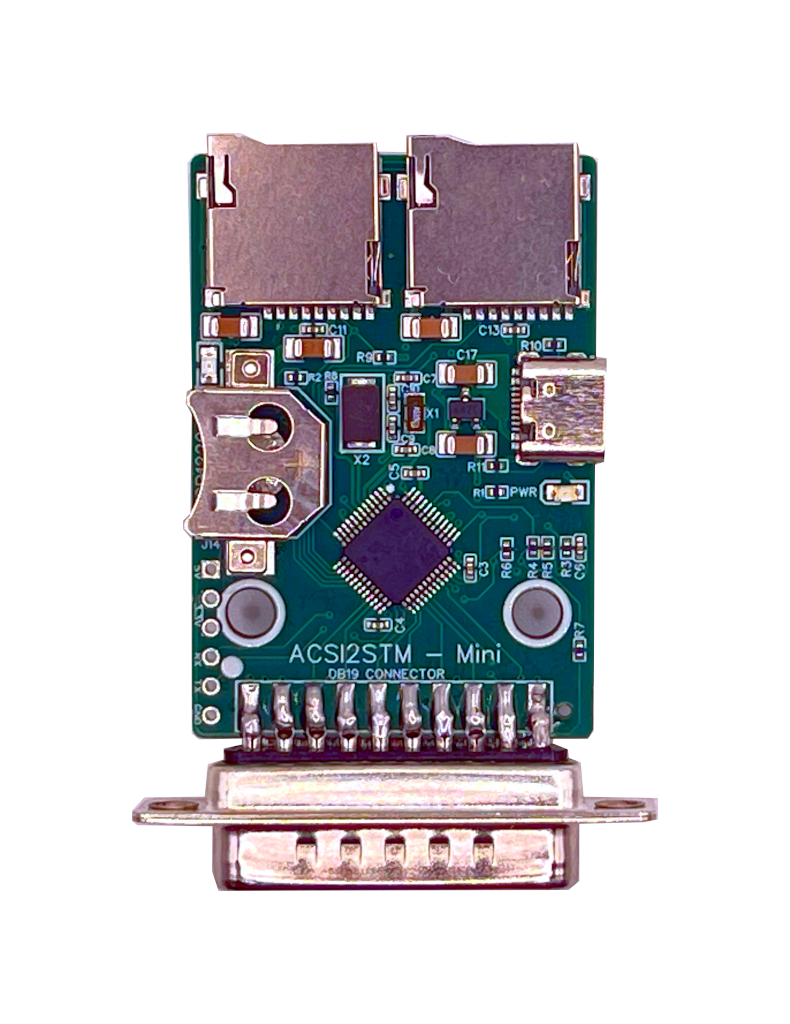
SidecarTridge has released two improved versions of the original ACSI2STM device:
- ACSI2STM Compact: This version is a direct replacement for the original ACSI2STM, featuring four PCB layers for enhanced performance and reliability and more robust microSD card slots with built-in eject mechanisms.
- ACSI2STM Mini: A smaller variant designed for users seeking a more compact solution without sacrificing functionality. It also incorporates the upgraded 4-layer PCB design and premium microSD card slots.
After extensive testing of the original ACSI2STM device, SidecarTridge has introduced an enhanced version with several key improvements:
Upgraded 4-Layer PCB Design: This new design ensures optimal performance, even in older and noisier computer systems, by reducing issues like crosstalk and electrical interference.
Premium microSD Card Slots: Utilizing the same high-quality slots as the SidecarTridge Multi-device, these are more robust and feature a built-in eject mechanism, facilitating easy insertion and removal of microSD cards.
Optimized Crystal Oscillator Circuit: Adjustments in the capacitors of the crystal oscillator circuit have been made to enhance performance and stability. This modification addresses a flaw in the original design that could cause operational failures or prolonged boot times. For detailed information on recalibrating the capacitors in the crystal oscillator circuit, please refer to the GitHub issue discussion.
External LED connector: The new design includes a connector for an external LED, allowing users to display the activity of the ACSI2STM device. This feature is particularly useful for those who prefer to place the ACSI2STM inside their Atari Mega ST or Mega STE, as it provides a visual indication of the device’s status without needing to open the case.
We can summarize the main differences between the two ACSI2STM versions in the following table:
| Feature | ACSI2STM Mini | ACSI2STM Compact |
|---|---|---|
| Audience | Users prioritizing size and simplicity | Users needing expansion and chaining |
| Dimensions | 65 mm × 35 mm | 70 mm × 60 mm |
| PCB Layers | 4-layer PCB | 4-layer PCB |
| ACSI Connector | Integrated DB-19 connector | Integrated DB-19 connector |
| Number of microSD Slots | 2 | 3 |
| Real-Time Clock (RTC) | Yes (CR1220 or CR1225) | Yes (CR2032) |
| Firmware Upgrade | Via Atari/Serial | Via Atari/Serial |
| Operating Modes | GemDrive & ACSI | GemDrive & ACSI |
| Power Supply | USB-C cable (not included) | USB-C cable (not included) |
| Enclosure Option | Yes | No |
| IDC20 Connector for Satan Disk | No | Yes |
| External LED Connector | No | Yes |
The ACSI2STM Mini offers the same full feature set as its bigger brother, the ACSI2STM Compact, in a much smaller form factor. It is ideal for users who prioritize size and simplicity over expansion capabilities. The Mini version is perfect for those who want a compact solution without sacrificing functionality.
## Table of Contents
The ACSI2STM is an Open Source project, and you can find the source code and schematics in the GitHub repository. The repository contains more in depth information about the project, and you can also contribute to the project by submitting issues or pull requests.